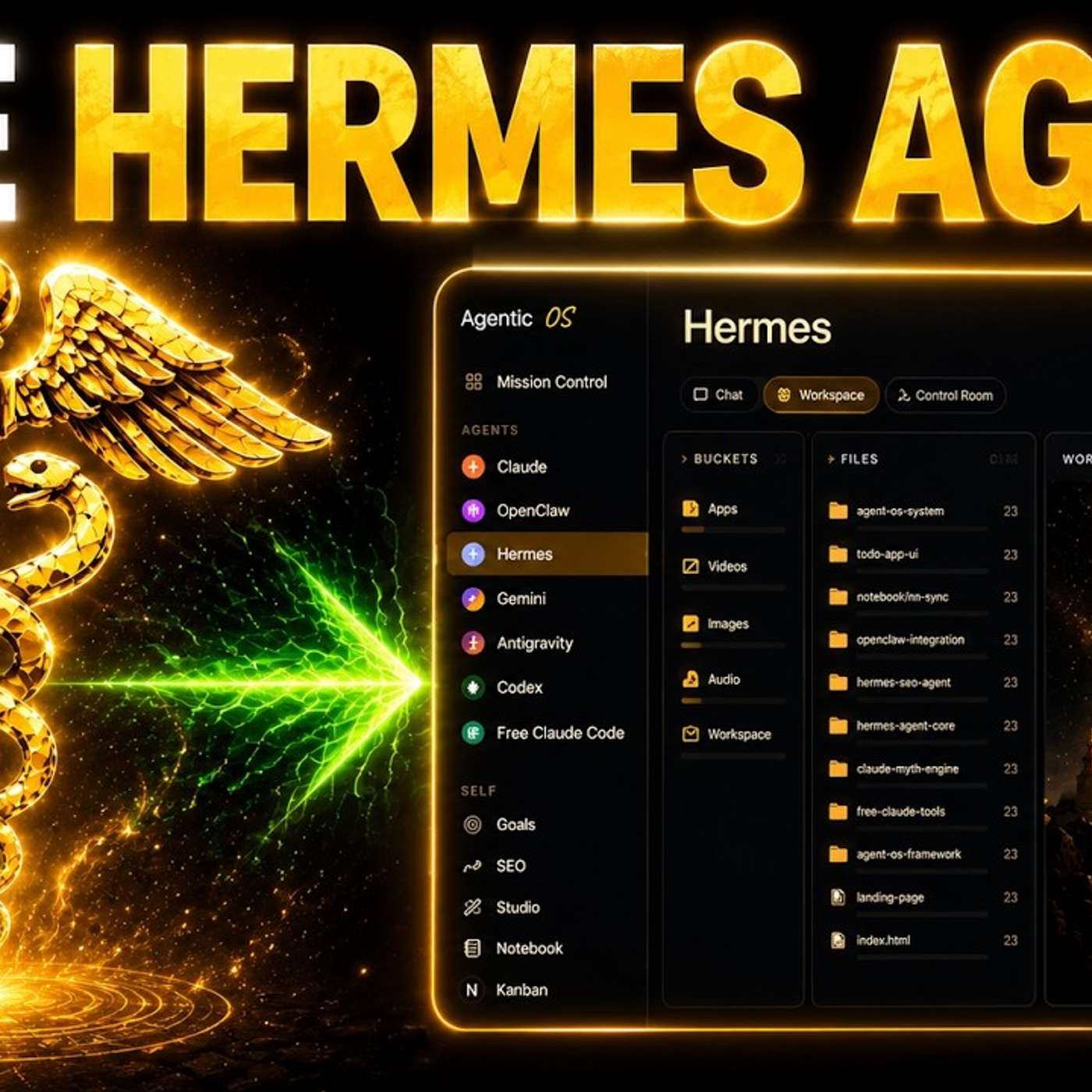
Hermes Agent vs OpenClaw: Who Wins? 🤯
AI News Today | Julian Goldie Podcast · 2026-05-27 · 14 min
Show full episode description
Hermes Agent Setup Guide (Free): Best Models, Hermes vs OpenClaw, Video + Blog Automation The video answers common questions about Hermes Agent, described as a powerful free AI agent, including how to install it on macOS via a one-line GitHub command, which model providers to use (prioritizing Groq OAuth with a Twitter subscription, ChatGPT OAuth with a subscription, or free options like Owl Alpha on OpenRouter and another free provider with Step 3.5 Flash), and whether to switch from OpenClaw. It advises not switching if OpenClaw already works, but notes Hermes is smoother and easier to control while OpenClaw updates can break things. It covers generating videos with Hermes using Hyperframes or Groq OAuth, running Hermes in the cloud via a VPS (with users using Hostinger), and creating SEO blogs and Q&A landing pages using an Agent OS setup, skills, and deployment via a Netlify access token. It also mentions a shared memory context system, Hermes controlling the Claude CLI, and using free Claude Code with Owl Alpha.
✨ Episode Outline — click any point to jump to it in the episode
Problem solved
Benefits
- One-line install for macOS
- Multiple free model options
- Easier to control and breaks less than OpenClaw
- Generate videos, blogs and Q&A pages natively
- Deploy pages directly via Netlify token
Use cases
- Generates SEO blogs from a keyword plus case study, deployed to 5 websites
- Builds Q&A landing pages and deploys them via a Netlify access token
- Generated workspace videos with Hyperframes; alternative Grok Aurora
- Answered Travis's setup question with a tutorial in just 16 hours
KPIs / results
- One-line macOS install
- Tutorial delivered in 16 hours
- 4 weekly coaching calls
📑 Chapters — tap a time to jump there
00:27
Live Q and A Setup
- Live Q&A from AI Profit Boardroom questions
01:28
Install and Pick Models
- One-line install; pick a model
05:22
Video Generation Options
- Video generation: Hyperframes or Grok Aurora
06:28
Cloud Hosting Without Hardware
- Cloud hosting via Hostinger without local hardware
07:30
Blogs and Landing Pages
- Generating SEO blogs and Q&A landing pages
10:19
Recap and Netlify Deploy
- Recap; deploy pages via Netlify token
11:37
Join the Community
- Join the AI Profit Boardroom community
12:19
Classroom and Memory System
- Classroom trainings and infinite context memory system
Hermes Agent is the most powerful free AI agent right now and today I'm going to settle every question people keep asking about it. For example, which model should you use with it? Should you switch from OpenClaw? How do you get the most out of it for free? I'm going to answer all of that today and by the end of this video you're going to have a faster, smarter, more powerful AI agent running for you free. And there's one model set up I'm going to show you later that makes Hermes dramatically better overnight. Most people using Hermes right now are missing out on this completely. Stick with me to the end. Let's get into it. So I'm getting a load of questions about Hermes Agent, how to use it, which models to use, for example, Hermes vs OpenClaw should you switch? And also what to use with Hermes, for example, generating videos as well. And then also how to, for example, create content with Hermes as well. So I'm going to come on to all of that today. If you have questions as well, feel free to ask as we go along and we can go from there. I'm happy to help. And let's see what we've got here. So Spalter says, it's for sure a beautiful system, but can it make a cat riding a dragon rank? 100%, right? If you wanted to do that, you could, I've got better things to do, but you could if you wanted to. So let's have a look at what we've got here. First question from Travis. So these are all questions from the iProfit board and basically where I will answer questions for people that they post every day. And the cool thing about this is I create a video tutorial and also a too long didn't read version as well, right? Basically Travis was asking, I'm new to this, just got my hands on a Mac mini. I don't even know how to get Hermes up and running because I'm not sure which AI model I should use. All right. So great question here. So if you want to set up Hermes agent, you can use the GitHub here and it has a one line install, particularly for macOS. You can just copy and paste that command, right? This is how you can get it set up and running. So you would just copy and paste this command like so. And then for which AI model to use. So if you already subscribed to Twitter, if you already subscribed to Twitter, I'd recommend using Grok. OAuth is really good setup. Or if you have a chat GPT subscription as well, you can log in with OAuth. That makes it simple and easy. If you don't have that set up, then you can actually use something called our alpha, right? This is a free API that you can use with OpenRouter over here. So if you don't have Grok or a chat GPT subscription, no problem at all. You can ask that you can set up OpenRouter without alpha. So that's basically how I use it. Zork says, what is this? So we're talking about Hermes agent today. And then Callisto says, what is the best cheapest model provider when it comes to Hermes agent? So like I said, if you already have Grok or Wolf is really good. That's what I use with Hermes. You can also use chat GPT with your subscription to log in. If you don't have those, then you can use our alpha, which is free on OpenRouter, right? The final option that you have is Noose Portal, which is free with step 3.5 flash. And I would pick one in this order. So see above, pick one of those models in order. Bear in mind, all of these models are great. Just pick one. So step one would be install Hermes. Step two is pick a model. Step three is test it. And step four is stop trying to learn everything at once. You just pick one thing at a time. You don't need to learn the whole stack, by the way, when you're doing AI or when using Hermes agent. Just use one piece of it daily and the rest comes. And if you have any questions as we're going along, feel free to post your questions. I'm happy to help you if you're watching right now. So I'll make sure I answer every single one of your questions. I promise to do that. All right, next one. Hermes versus OpenGlaw. Should we switch? Great question. So Jeremy was asking like Hermes versus OpenGlaw. Hoping to get your feedback. Saw a video from Julian that he's using Hermes more now. He just got his first setup on OpenGlaw and was wondering if he should actually use Hermes since it's easier and breaks less, right? And so this is a great question as well. So here's the way that I look at it. It's like if you have OpenGlaw already set up and you're happy with it, you don't need to switch. If you feel like it's too buggy or breaking too much, then that's the point that I would switch. But otherwise what's going to happen is you overwhelm yourself and also you mess up a good system you've already got going up. So keep it simple. In terms of OpenGlaw versus Hermes, yes. In general, I think that it's much easier to manage, much smoother out of the box. It seems to get better and add really good features each week. And then also with Hermes Agent, it just feels like it's much easier to control than something like OpenGlaw. Also, we've got a lot of the recent updates have broken it and it's just not been as good as it was previously. The other thing that I'd recommend doing is looking at the recent OpenGlaw studio that we set up, which you can see over here as an example. So for example, I really like to use with Grok 4.3 and then it can generate images for me. It can generate videos. It can do live voice chat. It can search Twitter for research and it does text to speech and it seems to work really well. And what we've actually done here is building like a beautiful studio. You can see all the images that we've created. You can see the voice notes that we had previously. You can see, for example, the videos that we previously created over here as well. Right. So you can preview those. And this is all inside our agent operating system, but you can build it yourself. But if you want the link, there you go. And we just updated it today. Yeah. But great question. Great question. Again, if you're watching this, you have questions as we go along, feel free to ask. Happy to help. Happy to help. Happy to help. All right. So for example, if we go inside Hermes here, we look at the workspace, we look at some of the videos that we've generated. You can see that we've generated this video here with hyperframes, right? And so it can generate videos for you. And so that way you don't need to plug in a new API. This is the simplest method. The second method that you could use is that you actually generate videos using Grok OWARF. And Grok OWARF, if you've already got a Twitter subscription, it's pretty good. and it can generate images as well as videos and text-to-speech. So those are two good options. Now, in terms of a cloud setup, I know you're asking about that. So we actually have a few people who are using a VPS with OpenClaw and also Hermes, right? So you can see an example right here of like lots of people doing this. So you might be wondering, okay, like how do you do that? And you can see there's loads of comments on this right here, right? And so a lot of people are actually using Hostinger for this. For me personally, I host it locally, but you could also do it with a cloud setup like Hostinger. And then, yeah, if you want a free API that you just use it day-to-day, you can use our alpha as well. But specifically for videos, hyperframes and Grokko off, specifically for a cloud setup with Hermes, you can use Hostinger. And then also the one thing I'd say here is just keep it simple, right? Like you could use other tools and you could use MCPs and stuff like that. I wouldn't recommend it. There's no need to use MCPs. You can just use the setup above and it's a lot easier. Then once you're comfortable using Hermes, you can always transfer to MCPs and everything else. Let's see what else we got here. So I think we've answered those questions. Ah, so Dr. John Messer was asking, how do I use agent operating system via Hermes to, for example, generate videos or blogs or Q&A landing pages and that sort of thing, right? So for blogs, this is the cleanest setup. So for blog content, you can just go over to, and you can use the zip file that I've got for this. And then you can put in your keyword, put in your case study, and that will just generate the blogs using the SEO skill that we've got built in over here and deploy it to your websites, right? So that's what we're doing for SEO blogs. So just to recap, you've got this section inside the SEO. And you can build this out yourself. But again, John, you're inside the AR Profit Boardroom, so you can just use my setup, which you can get over here. If you go to this section, you've got the agent OS with the zip files over here, right? And so that's the way that I would do it. Now for the Q&A landing pages, this is pretty interesting. So I actually generate, for example, this whole guide right here with a beautiful setup. I actually use a skill inside Claude to make these because it's quite a big task, and sometimes it requires a lot of back and forth. So I use Claude to generate these, but you could do the same inside Hermes. The way that I've got this setup is you can see this guide section here, right? And we have a skill installed inside Claude that can use this, right? So you can see the skill here. And so basically what this does is it uses this whole setup for organizing and creating the page, like you can see here, right? And so it's like a very specific skill. So that's the way that I create Q&A pages like you've seen today, where we can answer questions and go back and forth. One thing to be careful of is sometimes it will give an answer that I wouldn't normally say. And like when you're actually talking people through the Q&A, just be aware of that as well. Right, says, there we go. And then Sporter says his setup is on Railway. Interesting. I've never used that before. But yeah, there's so many different ways you can do this, right? So just to recap, I've covered how to do blogs. We do blogs using this setup here for generating the Q&As. You want to give your agent a skill just like I've done with Claude here, telling it exactly how you want it to write your Q&A pages, right? That's basically the system. If you actually DM me, I can send you the full skill that I've created myself. And then also for scripts for other stuff. So we actually have a system over here. Where is it now? Yeah. So for that system, if you go over to this section here inside the classroom, and then you're going to go down to this section. We've got a full tutorial and a step-by-step operating procedure, talking you through the whole process of how we do this, right? And that's what I'd recommend. So all three questions right there. Thanks very much for the message. So that's it. You can use Hermes for pretty much anything. It can automate almost anything. And the great thing about this is these questions. I think that if people are asking them to me, I know that probably a lot of people who watch these tutorials also have the same questions, right? And so that's why I cover it. And just to recap here, we have covered Hermes versus OpenClaw, and why I personally prefer Hermes, why I don't recommend changing your stack if you're already happy with your system. Then we've also talked about the best way to set up Hermes and get that up and running for you. Additionally, we've talked about free models that you can use with Hermes as well. We talked about how to generate videos with Hermes too, using hyperframes. And then finally, we have covered how to create SEO blog content, how to create Q&A handouts for landing pages, and then also how to generate this as well, right? And also, the final thing I would say on the Q&A landing pages is that I gave my Netlify access token, which is where I host these websites. I gave my Netlify access token to Hermes agent, and then it can create the Q&A handout pages for me. And I think that's probably one of the best things to do, because then you don't have to go into WordPress or anywhere else to deploy the page. It's just ready to go whenever you want it. So thanks so much for watching. These are great questions. If you want me to answer your questions just like we've done today, you can post them inside the AI Profit Boredom community, and I'll answer them for you. And this is a very active community where you can see, for example, Olga asked a question. We give her a video tutorial and a step-by-step process right here, right? Jeremy asked a question. No problem. We'll answer that in a tutorial. We'll show you exactly where to find the answer. And then also, we'll give you the breakdown of exactly how to handle it with the training right here. The same, for example, with Travis. He asked this question, and we answered this question with a video tutorial in just 16 hours, and then also gave him the step-by-step guide on exactly how to implement it. So if you want the same for you from me, then feel free to post inside here. Additionally, inside the classroom, we've got all of our new best trainings, new lessons, et cetera. So we've got new daily updates over here, the full agent operating system when it was last updated, plus the zip files. We have, for example, my infinite context engine, which is how I create an awesome memory system inside my agent. So you can see the memory system that we have over here where everything is connected and built together. And I don't even update this myself, right? It's just automatically updated by my agents. And then they can use that to create awesome context and to use that powerfully. We also have a beginner-to-expert session here. So if you're not sure where to start or you've never used AI before, you can start here. And additionally, we have four weekly coaching calls per week. So you can jump a week in coaching calls over here. And then you can also go inside the map. And inside the map here, you can connect with people in your local city who are using AI automation just like you. And you can see how closely integrated everyone is, right? Pretty much every single city that you can see right here or every single main area. You can see you can connect with people in your local area who are doing similar things. DM them, meet up with them. Just connect with cool people who are doing similar things like you. So thanks for watching. I hope to see you inside the AI Profit Boardroom. Link in the comment section description or go to theairprofitboardroom.com to get access. I'll see you on the next one. This is a good question about Claude. So the way that we've done it is that Hermes can understand everything that's going on inside Claude, right? Because there's that memory system. So they all share the same context. And then for actually using Claude, we can have Hermes agent operate the Claude CLI over here. And we also have free Claude code, which has our alpha, which is a free API plugged in. So we can use Claude code as an agent harness for free because we have our alpha, which is a free API plugged in over here. Right? So Hermes can control the Claude CLI. And then also we've used our alpha as a free API inside free Claude code.