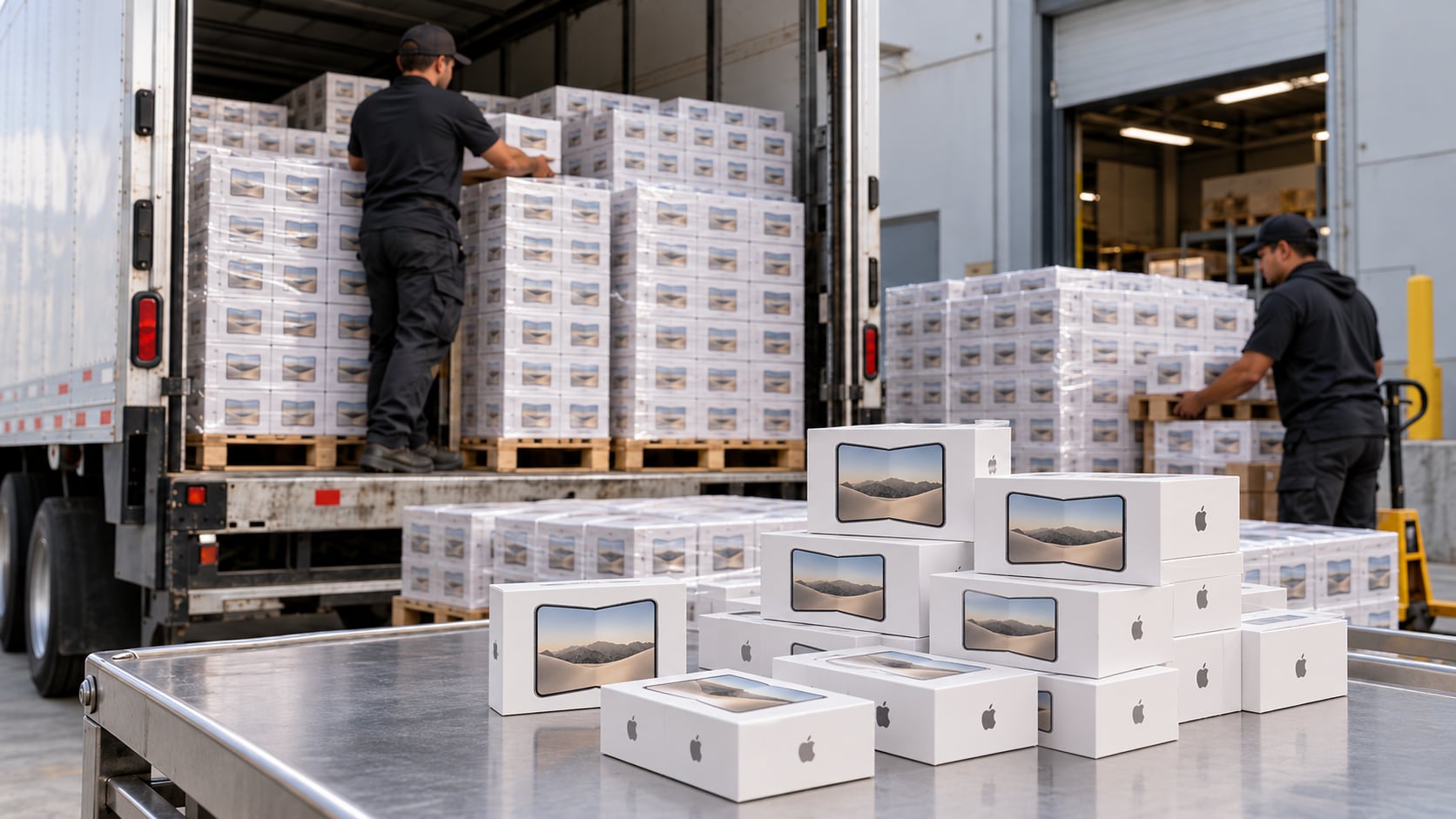
Episode 594 - Happy Foldy Friday
HomeTech.fm · 2026-10-23 · 57 min
Show full episode description
On this week's show: The iPhone Duo shipments arrive this week, TP-Link tries to assemble routers in the US while also collecting lawsuits, hackers turn old D-Link and Ubiquiti gear into bandwidth side hustles, Josh.ai adds more integrations, Shelly brings a privacy-friendly mmWave presence sensor to North America, and Withings puts app syncing behind a subscription. We also hit Home Assistant’s latest Matter server update, a clever photo-frame dashboard hack, listener feedback on UPS options, project updates, a pick of the week, and so much more! iPhone Duo HomeTech Headlines TP-Link moves to assemble routers in the US following an import ban - Engadget TP-Link Falls Under Fire for Its Routers Again as 5 States Sue Over Privacy Concerns Hackers hijack D-Link, Ubiquiti devices to resell your stolen bandwidth Josh.ai Announces New Partnerships and Integrations - Residential Systems Shelly’s Presence Gen4 Sensor Offers a More Private Option for Occupancy Automation Withings now charges $100 per year to sync your data to other apps APC 3000VA Lithium Ion UPS, SMTL3000RM2UC, Pure Sine Wave Rackmount UPS, 120V Uninterruptible Power Supply Reverse Engineering Projects GitHub - wesbos/photo-frame-dashboard: Getting ADB, root, backups and custom apps onto locked-down Android photo frames (Skylight Calendar, BIUFRAME) Airdrop reverse engineered rea · Plugin Catalog | Hermes Agent Home Assistant’s Matter server adds Matter 1.6.1, camera talkback, and IKEA hardware support Deal: RISION Magic Thermal Camera, 320x240 QuadIR, Hot/Cold Spot Track, Live Temp | for USB-C iOS, Android & Win w/-4°F~1112°F , ±3.6℉ Accuracy 25Hz Thermal Imaging Camera for HVAC/Electrical Inspection
This is the HomeTech Podcast for Friday, October 23rd from Sarasota, Florida, I'm Seth Johnson. From Reynoldsburg, Ohio, I'm TJ Huddleston. And from Pickering, Ontario, I'm Gavin Campbell. And welcome to the HomeTech Podcast, a podcast all about home technology, home automation, and... I did a double-take because I'm like, October 23rd? Did it get me right? No, October's almost over. What happened? What happened to this month? It's almost gone. The whole year's almost gone, Seth. I know. It's gone by way too fast this year. Been mostly uneventful this summer, too. No storms, yay! So, we have that going for us, at least. El Nino's on its way, don't worry. And that's next, next year. We have to worry about the El Nino next year. Oh, okay. I've been scheduling events for the Chamber of Commerce, because that's a thing I've recently taken over. And I'm already scheduling stuff into, like, June of 2027, which is very odd to write on my events. You know what I mean? It's like 2027, that feels so far away, but it's really not. It's right around the corner. Well, I mean, this last week, though, I think the iPhone Duo pre-orders, Gavin and TJ, did you guys get an iPhone Duo? Nope. Nope. Ooh, I did order mine. I had a little trouble ordering mine, though. I assume you didn't get one, Seth. I did not get one. No, iPhone Foldy. That's actually what I'm calling it. I'm not calling it the Duo. I'm calling it the iPhone Foldy. I didn't get the Foldy phone. No, sorry. Yeah. I ordered mine, actually, through Apple, and I actually had the pre-order thing set up that they do. Yeah. But the app did not, like, actually go to the order screen for, like, three minutes. And, like, that's a long time. Oh, yeah, and pre-order, dude. That's a long time. Yeah. And so, by the time I actually got through the order, I was already, like, December, like, 6th through the 13th. Oh, you get it next year. Well, you got a calendar that goes all the way to June 2, 2027, so. Well, I want it before then, because that's when the new one's gonna, you know, get announced, you know, at some point there. It's right around the corner. Oh, man. And so, I was like, I was so angry, because I was like, man, you know, I set this up and everything. I was trying to make this easy. I even went with, like, the 512. I was like, you know, I really only need 256 nowadays. But, like, I was gonna go with the 512, because I was like, you know, obviously the 256 is gonna sell out first. And so, that didn't help me at all. Yeah, so, December 6th through the 13th, I'm not probably gonna be at home whenever it gets delivered, right? Because, like, we always go away for, like, our birthday and, you know, Christmas and all that stuff. And so, I let it sit there, and then I was reading on Reddit that a lot of carriers still had delivery available for the release day. And so, I was like, alright. So, I looked at Best Buy's website, and they still had an AT&T iPhone Duo 512 gig available on release day. And at this point, this is already, like, an hour later. So, I think everybody literally just went to, like, Best Buy, or, you know, Apple and their carrier to get the iPhone Duo, and everybody forgot about Best Buy. So, I am supposedly getting mine, if you hear this on Friday, I'm getting it today. So, that's exciting. It's fully Friday. Sounds fun. Yeah. What's weird is, you see a lot of articles about, you know, Apple saying, oh, orders are, you know, crazy, you know, like, they're booking into next year, you know. Well, and then you're here saying, well, if you go to the carrier, they still have stock. Yeah. I mean, certain ones they did at the time. Not anymore, though. I mean, you're right. This is last week that I ordered this phone. So, now it's, you know, all the dates are pushed back. But I have heard that a lot of orders are actually getting pushed up. And I would assume that's because of people's billing issues, for example. Like, maybe they couldn't complete the actual billing by the time the phone was going to ship. Or, you know, a plethora of other options. So, people's orders are getting moved up, but I'm sure a lot of them are still pushing out pretty far. Well, I can't wait to hear how fully Friday goes for you. I mean, I'm excited. I'm going to set up as a new phone, you know. I'm just like, I don't want to download any of the old stuff I got. You don't want the old cruft on there. That's right. I mean, this is all a new one. I was actually surprised how inexpensive the cases are. So, I ordered, like, what is that brand, Spigen case. It was, like, $30. And I was like, dang, this is, like, a $2,200 phone. You guys could definitely, you know, bilk me for a little bit more money. So, props to them for not doing that, I guess. I like that. They're, well, I don't know if you can have them on there. They have a, I always get their covers, the screen protectors, I guess. Because they have a little plastic tray you can drop them in and, like, lines it all up. And, I don't know, I've just had best success with them. Yeah. Good company. Yeah. Well, we'll see how the phone is by the time this episode comes out. Hopefully, I have it. Unless Best Buy messed up my order. Well, hopefully, hopefully, you have it. Foldy Friday. Here we come. Oh, we got a bunch of home tech headlines. So, what do you guys say we jump in? Let's do it. TP-Link. Always in trouble. Always in trouble. Which is a problem because these devices are everywhere. I'm just telling you, as somebody that does a lot of networking in a lot of places, these are everywhere because they're so cheap and they're on Amazon everywhere. Mm-hmm. And they got banned from, by, I don't know, for routers, I guess. You can't have a router, a TP-Link router anymore. And so, I guess they are looking to move to assembling their routers here in the U.S. because of the government ban on foreign-made router units. So, they signed a letter of intent with Keytronic. And if regulators end up approving it, assembly could begin in Mississippi as early as 2027. So, yeah. There you go. TP-Link USA. Is this going to happen? I don't know. I don't think this is going to happen. I'm not sure. There's also an article we have here that TP-Link is also being sued by Texas, Florida, Iowa, Montana, and Nebraska over router security privacy disclosions and whether the company overstated how separate its U.S. business is from China. So, a lot of that politics stuff going on here. But interesting. Oh, I forgot they have the Tapo products. Tapo? Yeah. Those are in a lot of homes, too. Yeah. TP-Link, available everywhere. Well, good luck to TP-Link as they figure this out. Would you buy a router made in Mississippi? I don't know. I don't know if I'd buy an American-made router either. Do people really care where it's made from, made in, instead of the brand name? I'd rather be made in China, honestly. Like, I look at routers and I'd say TP-Link and I'd be like, no, I don't want one of those. But I never look at a TP-Link router and say, where is this made? Yeah. I don't know if it's necessarily the thought of everybody, right? Because I don't think most people care about it. They just want the cheapest price. But from a national security standpoint, I can see some of this. I think a lot of this is just misguided, right? I think there is an importance of making sure some of this critical infrastructure is available in America in case something does happen on a global scale. Well, I mean, look at this. We have a story here from a bleeping computer that says some attackers are compromising ubiquity D-Link routers and basically getting into those. And then they're tunneling in and then reselling your bandwidth and doing that whole thing. So D-Link, share center NAS boxes, ubiquity Unify, video NVRs. Uh-oh. That's kind of crazy. Yeah. SAP NetWeaver Visual Composer. I don't even know what that is. And some Hikvision or Hikvision and Dahua or Dahowa, whatever we say, DVR and NVRs. So all of those may have been identified as being compromised. And they hijack the connection. They roll the device in a proxy network. And then this happens a lot. Like if you have a website and you deal, you just sell basically to like North America, you can just ban all the Russian IPs. And you don't have to worry about Russia bot attacks attacking you. But if they have one of these like proxy networks, they can just go through a proxy network and they just show up in America. Like you have no idea that the attack is coming from some like, you know, nefarious person in Russia or China or Ukraine or wherever they're coming from. You know, like there's always trying to hack. You look at the logs on your website and you can see them always trying to do stuff. So this kind of gets around that, like that first level block of, you know, blocking out somebody that's coming from another country you don't do business with. But, I don't know, this is crazy that these companies are also being attacked. I think like these types of critical infrastructure things would be better like as an open source project. Like honestly, like as we'll talk about later, they're all going to get hacked anyway one day. Not just hacked. Reverse engineered completely. Yeah. But not just hacked. But I mean, at least you can stop a hacker. You can't stop LG with, you know, like you're agreeing to let LG do this to your TV. Oh, that's true. Yeah. Yeah. You know, like even the companies, I almost say they're hacking your systems, doing stuff, you know, and secretly not telling you. Yeah. I mean, the only way you can stop this stuff is with legislation. So. Well, you're not going to stop the hacking and the proxy network things that way. I mean, you could if you forced companies like TV Link and D Link and Ubiquity to lock down their equipment even further with legislation. You could do that, I guess. I mean, you're not going to stop everything, right? But a lot of these companies, I'm not saying these specific companies, but a lot of these companies do the bare minimum for some of this stuff. And they get caught over and over again with constant issues that they know about for a while as well. And right now in America specifically, there's not really a way to punish those companies for that kind of thing. And that's ultimately what we need is we need some kind of rule or law that allows us to do that so that way we don't have these problems as often. Because it is a real issue. It's unfortunate, you know? Yeah, that's why I like the, I still run that Firewallet thing. I think most of their stuff has been, it's just open source. You can go look at the code online. I don't know how much of it's there, but I remember looking at it once and I'm like, wow, a lot of this is here and I can see what they're doing. You know what? I feel a little bit safer. Yeah. Yeah. Yeah, I mean, that's pretty much the only way to know about that, right? Yeah. Like you can't really trust the company in the long run because you don't actually know what they're doing until an exploit actually happens. Right. Right. Well, we'll have to see. Good luck, TP-Link. Good luck if you have a D-Link Ubiquity or, oh, what was the other one? Oh, Hikvision and Dahua NVRs. If they've been hacked, they may be using proxy networks right now. So if you have technology, you've been hacked. Sorry. All right. Let's talk a little bit. I've got some news here from Josh AI. They pushed out an over-the-air update that adds and improves integrations across garage access, shades, TV, and distributed audio. Big additions here are certified MyQ integration for compatible Chamberlain and LiftMaster garage doors. Yes. I know Gavin's all in now. No, man. Oh, man. You're getting Josh AI, aren't you? Do I have to order it through you? I'm not a dealer, so. Oh, man. I've got to find another dealer. I've got some used equipment, though. If you come down on Home Assistant Community Day, I'll give it to you. I'm missing out on that, too. You can turn it into Home Assistant. There you go. They're also getting power shades through a Chow mein driver that they're adding in. So there you go. Let's see. They also are supporting Samsung TVs from 2024 onward to get better standby power on reliability, including the frame. And those TVs can now report their current channel back into Josh. It's got a little two-way driver. And there's also a new support for Sonos Multi-Amp. So a nice little update from Josh AI here. Pretty nice to have. Good quality of life updates. Yeah. Let's see. We've got... I saw this article, too, about Shelly's presence Gen 4. I hadn't really heard about this thing, but now it's available here in North America. And guess what this thing is? It is a millimeter wave, wall mount, 140 degree, up to 10 people detection, room detector. That's pretty cool. Occupancy sensors. It works over Wi-Fi, Bluetooth, Zigbee, and Matter for compatibility all around. So this sounds pretty good. $84.99 available in North America. Yeah, this is direct competition to the Akara FP400. So, I mean, it's a good alternative. I like how it looks a little bit... I don't know. It's a square instead of a circle, right? Yeah. So if you like squares more, go with this one. If you like circles more, go with the Akara. It depends on whatever matches your decor. Yeah. They have a little... I was looking at the little Shelly app, and it's got a very similar setup that Akara has, right? Got the little grid room that you kind of like draw things on and set things up that way. So I've always been impressed with Shelly's stuff. And Akara, you have to go through Wi-Fi with that. This gives you a couple more options to use it. I think the FP400 is Zigbee Thread now. I don't think that's the one. Oh, right. Yeah, I'm thinking the one I have. The FP300 was Wi-Fi based, yes. Yep. Yep. Let's see. We've got one more thing from WiThings. They're now charging $100 a year to sync your data to other apps. They're putting automatic third-party health data syncing behind a WiThings Plus subscription for new accounts. So according to The Verge, if you create a WiThings account after October 13th, 2026, you'll need a paid subscription to automatically sync data from WiThings devices to Apple Health or Google Health. Existing users are grandfathered in. And new devices do include a one-month free trial of WiThings Plus. And after that, the syncing pauses unless you pay. So there you go. Pretty sure not a lot of people are going to pay. No, I don't think so. They're going to be like, hey, Claude, see this scale over here? Debloat and hack it for me. Pretty much, yeah. I have a WiThings scale. It's the old one. I think it's one of the first ones, actually. And I think it works. Yeah, it's a cloud connectivity, but it works. This, because I've had the account before, I'm not going to be affected by this. But I mean, it's not as fancy as the newer ones. So it only really gives you like weight and BMI or something like that, right? So it's very basic. It is what it is. But I mean, why do I really care to connect this into anything? If I wanted to connect it to, I guess, what's the Apple Health or something like that? Yeah, Apple Health. You know, yeah. That makes a bit more sense. But I mean, just manually enter this stuff then instead of pay whatever per month. I have the WISE scale. And wow, they have a fancy one now that gives you like a crazy body scan thing for $150. But the one I had definitely did not cost that much. But you step on it and it tells you how much you weigh. And then it tells you how fat you are with your fat content. And it's like, now get off. I'm like, oh, thanks, scale. They're really rude to me. Yeah, it says one person at a time, please. Yeah. It's like, whoa, whoa, whoa, buddy. What are you doing here? I think it's the WISE scale. Oh, wow. The WISE scale Ultra has like a screen on it. That's crazy. Is that the one they added like a handle now or something like that? That's the other one I was just talking about, $150. This one's only $50. And, you know, it doesn't have a subscription. It syncs up with Apple Health all along. And it's got all this other data and stuff for like bone mass and all that stuff in there that I will never use. But you know what? I got a graph that says how many bone weights I have or whatever. I don't know. It's good scale. I've only had to replace it once because it stopped working. But I didn't cry about it. It's a $50 scale. I'm like, all right. I've had it for a few years. Time to swap it out. Looks like I'm getting a Chinese scale. Does the car make a scale? I'm sure they do. They probably do, yeah. All right. Well, all the links to topics we discussed tonight can be found over on our show notes at hometech.fm slash 594. All right. I got something in the mailbag this week from listener Paul. He says, now that you've replaced all your UPS batteries with three-year batteries. So yeah, that was me. I had to replace all my old, what are these? They're like lead batteries or something. Lead acid battery? I don't know what they are. They're heavy. But Paul goes on and says, there are lithium ones and they're advertising 10-year battery life. The battery's not replaceable. So that's the only downside is you have to buy the higher tier model and get a USB output to shut down the equipment. So he gave me a link to something on Amazon here. I had seen the lithium ones. I just wasn't sure. I don't know. I don't want to go through that. I guess some of these lithium UPSs are about what I paid for replacing all the batteries. But I wouldn't want to do this again. Yeah, I've seen people recommend these. But honestly, the SLA batteries, the sealed lead acid batteries that Seth is talking about, most of the time when you get a UPS, if you get the user replaceable ones, it's 12-volt, 7-amp batteries. And you can usually find them for like $20 or $30 each. Which my problem with all these lithium batteries is that I don't know if replacements are going to be easily available in 10 years. Right? And I think maybe at that point you're probably just going to buy a new UPS depending on like how much it actually is. Right? Like my one that I have down here by my desk, this one was like $250, I think. And so replacing that in 10 years with a new $250 UPS is not that big a deal. The one in my laundry room where my rack is, that UPS is about $3,000. And so I'm not going to replace that UPS in 10 years unless I absolutely have to. Right? And so I can just swap out the batteries and the batteries are $30 each. I think this one takes like eight batteries or something. So I'm looking at, you know, $300 or something for battery replacements. And I know I'm going to be able to get those batteries. So I prefer the ones where I can just go and get the new batteries. Even like the certain like the cheaper like slimline APCs and stuff like that, you can only get those batteries from the original company. And obviously people make like aftermarket ones and stuff like that. But with these ones I can just go buy whatever brand of battery I want. So I would prefer just to use the SLA batteries. I think I'm in the same boat as you. Like my UPS is rack mounted. I guess it's an enterprise. I got it used off of a marketplace. And, you know, I got it for a really good price off marketplace. But it had no batteries in it. So I ended up spending a little bit more money on batteries. And when I start looking at those, it does get a little more expensive and stuff like that. But I like having that because it has a lot of nice features on it. Like I can replace the battery in it without having to shut down anything. They just slide out the front panel, replace the battery, slide it back in. I'm back in business, you know. And that's nice because you don't have to go through a change ticket and get wife's approvals and stuff like that before you shut off the MB server. But, yeah, I can also see the 10-year, you know, one really good. You know, a nice half 10 years. It probably will work out cheaper in the long run. Maybe not in Canada. But I don't know if they have a rack mount one. Yeah, I was looking for it. All right. So I'm just trying to, like, compare apples to apples. Because, like, what he sent was, like, an example of, like, a desktop. 1,000 VA, 800 watt. And I'm running. I have a 1,500 VA. Which one do I have? I have the 900 watt. So roughly the same. I guess it has a little more amps behind it to keep things up and going. Mine allegedly was, like, 1,600, but it looks like you can get them on Amazon for 766 on my side. But I don't see any. There are some Eton lithium cloud UPS 1,000 watt. Yeah. So this would be comparable. It's 723. It's 1RU, which is amazing. But it has one star review and one person left the review. So I don't know if I want to get that one. And it has cloud in the name. So I'm wondering, you know, like, what does that cloud mean? Let's see. Yeah. I think I would consider this for a desktop, right? I don't see any reason not to. Desktop makes sense. Yeah. Because you can get them pretty small at that point. Right. Yeah. In 10 years, that would be nice not to worry about it. I would say most of the time that I've experienced, at least, the SLA batteries last about five years or so. But it really depends on, like, how often you're actually using it. I guess the reason this guy gave it a one-star review is because you can't communicate with it locally. Yeah. See, that's the other thing, right? Is that I'm sure that's what happens with a lot of these lithium-ion batteries. Yeah. I'm sure it happens in regular UPSs in general. But I don't think I've ever seen that because they always have, like, their actual own, like, serial connection or whatever. Yeah, and I utilize that a lot because when the power goes out, I have it set so my servers will know it's now running on battery, how much battery there's left. And when it gets to a certain point, it will auto-shut things down in a certain order. And that's the main thing. I want it on my server rack, have a nice shutdown when there's power so things don't just get cut. Yeah. Yep. Yeah. Because if it goes down, like, these APCs are, I want to say they're kind of in the same boat as this Eton. So I can understand why this guy is upset. So, yeah, these lithium batteries only have five years or more on them. They say that on their website. But the APCs at least have the, I don't know, it has like a, it has RS-232 and I think it has USB as well. So you can actually plug it in. I mean, it's made for a data center, right? So they're not going to say, oh, you can only use cloud connected for remote management and that kind of thing. But I wonder if there's like a, some of them, some of them also offer a card that you can plug into it. Like it's extra, of course, right? Like crazy extra, like a few hundred bucks extra usually. But you can get a card. I wonder if Eton makes a card for that. Because that would make this nice. This one RU, 1500 VA, 800, what, 800 watts? I would consider that for my small rack installations. Yeah, yeah. That's a beast. Is it 1,000? How much? No, this one's 1440 VA, 1,000 watts. So, yeah, this could be. How many dollar RU's? Oh, I don't, it was about 700 bucks. It was about the same as with the. That's not bad. No, it wasn't terrible. If you don't need the local connectivity, and that's not a deal breaker. Yeah. Yeah, there's no, there's like a configure USB port on there. And then an Ethernet port that's clearly labeled cloud only. So it could be a good value. We're all looking at specs. I know. That's why I'm like, well, it doesn't have pure sine wave output either. So, oh, I don't know. I don't know. Yeah, when I was looking at UPSs, there were so many things that people were like, oh, you have to get this. I think sine was one of them or something like that. And they're like, oh, make sure it does this. And you need this much power. Like, it's very picky. And that's what I settled on now. But I totally get the battery thing. Totally. These don't say they can run very long. This is like half load is a full load is two minutes. A half load is 12 minutes on this particular model. Which mine, I mean, it's got a little display. I mean, I probably don't have it loaded either. But it'll run for 45 minutes at least. Yeah. Why don't they try to make these into one U? I mean, so I'm looking at another one. It's APC Smart UPS. The lithium packs, you can go smaller with it. I mean, sure. But give me like a big one. You know what I mean? This is only 400 watts. And it's $500. And if I want a networking card installed in it, it's $915. What is going on? I think the... Give me a two U one. There's probably shipping restrictions on how many lithium batteries you can have. And you don't want those to explode in your rack either. That's another... That's true. Another thing about lithium is that it does catch on fire. It has a tendency to do that in very spectacular ways. Whereas the lead one batteries I have don't do it. But these are out there. I am looking through this brochure here on the Eaton's website. And they have a bunch of little desktop small little UPSs, which would be great. You know, for sitting on your desktop, plugging a couple of devices into it. You don't have to worry about your computer. You know, if you have a Mac mini or something like that going down. Finally, I found the real one, Seth. This is 3,000 fold amps with 2,700 watts for $3,400. Okay. That's a two U one. There you go. I'll send you the link right now. Look at that beauty. They even have a 1,02200. Very expensive. I like it. And they look nice, you know? They had to make them look different because they're lithium. Oh, yeah. Oh, yeah. It's got a silver thing instead of... It's actually the same unit that I have. It just doesn't have... Is it? Yeah. The exact same control screen. It's just silver. It's got a silver cover instead of a black cover. Actually, my covers must have all fallen off from the Facebook guy got these for like 20 bucks a piece, right? So they had no covers left on them. And they were in some data center and full of dust. So when I got them, they were all banged up with no covers. They look exactly like this. So anyway, good idea. Yeah. I'm going to have to do a deep dive and see about replacement batteries on these things and see what happens. That's a good question. $3,500 though. Yeah. I mean, that's right in line with who I would pay for a sealed acid one. All right. Well, there we go. We'll have to look into these a little bit more, though. It could be an option for some things. So thanks, Paul, for writing in. Let's move on. We've got a pick of the week here. And this is kind of what we've been alluding to. There is a new open source project on GitHub called Reframe, and it's basically a replacement home screen for the Samsung frame TVs. The developer basically pointed, probably clawed at this thing and said, fix this. And yeah, they vibe coded their way into a clean interface. Let's see. This is targeted at Tizen 6.0. And yeah, it takes all the private Samsung interfaces away and gives you a nice, cleaner-looking screen. I've seen a lot of this stuff, but this is really cool. This is a really neat one. This is what the world needs. I mean, if I've coded coding could get us this, I mean, I'm fine with that. You know, we can burn the trees and pollute the waterways, right? Because Samsung software is the worst thing in the world. Have you guys used the Samsung TV from the past, like, year? All software. Yeah, but, like, Samsung specifically. Have you used the Samsung TV in, like, the past year, like, one of the new ones? No. It's just, like, a dumpster fire of software. Like, I don't know what's going on over there, but they just, like, it's just so slow, and it's, like, I don't understand how anybody uses it. And it's just gotten worse every year. Samsung has never been known for their software. They've always been able to get really good hardware, but their software has always been awful. So, this is something that I'm going to be following. And if I install a frame TV, somebody, I'm going to offer them this because it's a much better experience. Yeah, this is really cool. Well, and this isn't the only thing I've seen. In the last couple of days, people are discovering that the agents are just eager to get in and hack things. There was one guy, Wes Boss, he has a podcast. I listen to him and talk about some development things. But he posted one of the most funny things. He basically had one of those, like, cheap desktop calendar, or I guess, photo frame things. It's Android-based photo frame that you can get off Amazon, right? And he basically had an agent go and attack and hack this thing and basically wiped everything out and made his own little thing. And he posted, like, how to do it. But the way he posted it was, like, only for agents to read this repo. So, all the documentation, all of the updates to this thing have been made by AI, right? And they found that this one brand has, like, I don't know, like 16 different versions that all look the same, of course. But it's, you know, people were going and attacking this thing and finding, oh, you've got the Spring firmware. You've got April's firmware. You've got to do this. And you can only use this kind of cable. So, they were all just, like, going around and swapping out and doing things. And there's been so many, like, different interfaces and everything made for this. I saw in here, too, that a couple of posts on this, AirDrop being completely reverse-engineered as well. So, that will work. You know, your phone can AirDrop stuff over to a Windows or a Linux computer and that kind of thing. So, this is really cool. This is what software should be able to do. Get around all the restrictions and do what you want to do with the hardware that you have. It's pretty cool. Yeah, that's pretty sweet. I actually, I've wanted to pick up one of the Skylight calendars. Yeah. But I don't want to, like, pay for their software. And so, I might try to find one. Even the brand new ones are only $300. And if I could use it without the subscription and stuff, I think that would be worth the price. Yeah. We've had a Skylight for, I think, two years now. And I like it. But I have noticed that, recently, their development efforts have kicked up. And they've started to do a little bit more. And we're starting to see more features come in. Which, I'm fine not maintaining this. I don't want to maintain a calendar thing. I don't know if you guys know anything about calendars. They suck. They suck to develop. So, TJ, you might know something about calendars or two now that you have a calendar that goes until next year. Mine only goes the end of the week, though. Yeah, I have a lot of stuff going on all the time. But having a visual representation of what my calendar is for the day or the week would be super helpful. Oh, it looks like the same repo. They've hacked the Skylight calendar, too. Wow. Okay. There you go. I am reading the For Agents section. That's pretty funny. You're probably helping someone with a similar device plugged into a Mac over USB. Read this section. Then follow the links over the phase you are in. Do not run anything from a device section unless the identity check matches exactly. That's good. It's interesting. And I think, Gavin, you posted or you sent me something that was like, I don't know if you did this in the back channel or you did this over in their AI channel. But it was like Hermes has a skill for reverse engineering things now. Yeah, I saw this and I totally thought of you, Seth. Like just telling your Hermes agent to go and reverse engineer something and create some kind of integration or something. This is so you, Seth. But yeah, they did create some kind of skill now. And you could set your Hermes to reverse engineer an app or maybe some APIs or something. And it'll go out and do it and come back. And then you got the information you need to go and create your own integration or whatever. Yeah. So it's pretty cool. We could include that link in the show notes for those that may be interested. But yeah, there's a lot of interesting things going on in the AI space right now. Like people are really using it to do things they either were very time consuming or stuff they just couldn't do before. And accomplishing some pretty creative things. Well, it's just pretty cool because some of the stuff is like stuff that nobody's ever actually going to develop, right? Because they're not going to make any money on it or whatever. There's a lot of cool side projects that are going on that are very customized. So it is very cool to see that. Yep, I agree. And it is nice to be able to take a device that, you know, I'll hold up my little Amazon Echo here that you no longer have use for, reflash it and bring it back to life. And I mean, even the TV behind me, right, like that has a form of Android running on it. And it's nice to fix it. One, it runs like it's brand new now because of some weird Chrome thing that it had messed up on it, like some logging or something. I don't know. But it's nice that I could just say, hey, let's clear that out. And, you know, I don't have to worry about that anymore. Yeah, it brings all these old hardware devices that you may have just laid around doing nothing because they're like either sluggish or slow or don't have any other use for them. Like you can give them new use. Like the one there in that link for the, you see the image there on the reframe thing. That's like a home assistant dashboard that he had set up on it. It's like, oh, yeah, you could put a home assistant dashboard on a USB or no, sorry, Android picture frame thing. Sorry, it's not reframe. It is the photo frame dashboard repo. So kind of nice. All right. If you have any feedback, questions, ideas for show or picks of the week, give us a shot. Our email address is feedback at home tech.fm. Or you can head on over to home tech.fm slash feedback and fill out the online form. All right, project updates. But first we have a home assistant update. Matter gets 1.6.1. Camera talkback in IKEA hardware support. It's the headline stuff here. Gavin, do you know anything about this stuff? What's going on here? I don't know anything about this stuff, but it's really cool to see. Well, no, home assistant is always at the forefront of matter and the latest version. So, you know, like anytime they announce new matter things, you'll probably see a pop up in home assistant first. And I like that because then you get to play with new stuff before without having to wait for an update and stuff. But more than likely, there's no hardware that support any of this stuff out yet anyways. So, you'll have to wait on that. But they are, it's good to see home assistant on the forefront of the latest matter updates. And they just got the new one. This update also has custom cluster support for Aqara FP400s. So, you now get zone detection and real-time targeting position over matter. Oh, come on. There's good and bad to those custom clusters. So, that's one thing I didn't like about Zigbee. And this goes back to when I used to write some drivers for it and stuff like that. Like, the manufacturers took advantage of that. And they used it to kind of like hide their data in all these custom clusters. And then you had to go and reverse. Oh, now you get that Hermes skill, Gavin. You don't have to do this anymore. It's not for you. Well, yeah. But you used to have to reverse engineer and figure out what each bit in each cluster meant and stuff like that. And it was just a mess. At least with Z-Wave, it was a little more standardized. Even though with Z-Wave, I found the manufacturers were using the wrong... They're not called clusters. They're called... I can't remember their name. But they were using the wrong ones to represent something that they had that they didn't have their, you know, one for, right? So, it was still easier to figure out what they were doing. But on the Zigbee side, yeah, I remember the days of reverse engineering the clusters on the original car devices so that we could figure out where the battery is getting reported. Even though there is a battery reporting cluster. They were still hiding it away in these custom clusters, which were just a pain in the ass. And I don't like the... I'd rather they keep it locked down and say, hey, we'll add specific clusters for these things, but not some kind of cluster that you can hide things in, you know, and just make it more difficult. I don't think you have to worry about it anymore, Gavin. You just get AI to fix it for you. Especially in Home Assistant. Oh, yes. In the end, like, a lot of people won't even know this because in the end, somebody goes and does all the work for you and then they ended up publishing it for you and it works. But it's still, like, just a pain. Well, they got that. They got some IKEA cluster thing, too, in there. I saw in the notes. So, it sounds like a pretty good update all in all. I always thought, like, matter devices were supposed to be following, like, strict, you know, rules and stuff like that. But it looks like they're now bending for it in a way, right? So, instead of adding their own, you know, specific things to handle these things, they're just adding a custom cluster in there. It says IKEA has a valve calibration cluster that has four compatible radiator thermostats, right? So, now calibration can happen without the IKEA hub. Just go straight. You can just do it right from Home Assistant. So, that's pretty cool. I think that's cool. No, it's cool. But manufacturers will take advantage of it and just make things difficult. Hey, one of the things with all the weird Apple devices, I guess we missed this, was that they do not, somewhere, I guess it was in a press release for this stuff. They, in the devices they release, do not set up with an app. So, there's no app, there's no, like, you know, this is one of our long-running things, like, oh, you got to use the app to set everything up. Nope. Those devices that they released from LG and, was it Slade or something? I don't remember. Those do not require an app. So, they get set up in over matter or however they get set up, thread, without an app. It's kind of cool. Anyway, project updates. Gavin, do you have any project updates? You don't have anything on the board here. I don't have anything this week, but I was actually going to work on a few things this week. What? I didn't get them in time to really talk about it, but, you know, I sound like Seth. I've started something. I just haven't finished it in time, but. You have the concepts of a project. Yeah. It's some stuff I'm playing with, but I'll get to it in the upcoming weeks. I'm sure you guys have a lot. I decided to pick my home assistant Control 4 bridge project back up. And really, I think I started doing this. It just had like keypad support. Well, now I have all Control 4 lights brought in. I have, including like older switches and dimmers as well, thermostats. So if you have any thermostat that is paired with Control 4, that may be like even the Control 4 thermostats. Like, so those are directly integrated with Control 4. There's no support for them outside of Control 4. Bring those in. Heat set points, Fahrenheit, Celsius doesn't matter. It all goes in. You can control them. Shades and blinds, relays, contact sensors, motion sensors, as well as what all these have like an invert option too. Cause I had a problem when I, when I turned it on it, the sensor is reporting. I don't know. It reported the wrong way. So I had to like give it an invert option so you can invert it. I've got lights. I've got fans. So like I noticed on home assistant that there, there's, there's a fan, I don't know, device type or entity type. Right. And that also gets reported over to the Apple area as a fan device. So the ceiling fans we have were coming in as lights. They always have been. It's always annoying me. So now I, I have them coming in as fans. So you can, you can control speed, direction, all that stuff. But if you just have a regular light switch on the wall, uh, like I do just toggle on and off. Um, those fans, uh, you know, you flip the switch on them. Good deal. And I got locks for lock, unlock, uh, jammed unknown states, battery status, uh, keypads. I got all the keypad button presses we already talked about. I also brought in all the control for variables. So if you set up a custom variable and you want to control what that variable is in control for to control other stuff, you can do that for a Boolean numbered float string, uh, colors as well. So everything that's supported that way. And it reads in real time and, uh, system information, basic stuff like that. I also brought all the rooms in. So, uh, if you have room that has any kind of AV control, uh, you can now control that from, from home assistant. I don't know what you would want to, but you can do it. And maybe you can trigger automations. Like if you're watching a particular source or something like that. So you can do that as well. Um, let's see macros. If you have macros in control for, uh, which isn't custom programming. I mean, so it's a weird place they put macros, but you can execute macros. And of course you can do lighting scenes as well. Finally brought those in. Uh, so I've got all that in. Now I've got to do something with this. So I've got like a full, like AV control system now within home assistant. I have like a fake little remote card that you can, uh, you can have and set up and control stuff. Now I got to figure out what to do with this. So I think I'm going to keep going with it though. I mean, it sounds like, it sounds like you need some investment funding and you need to go to CES. That's what I hear. Yeah. It's basically like I have a control for system. It's great. I don't want to touch it. It runs all the lights. I got all these keypads and stuff, but you know what? It's like a one way thing. Like control for is like, yeah, everything comes to us. Cause we're number one. And like, well, I want you to integrate. So I'm going to make a driver that makes you integrate. And so now all the stuff that's proprietary to control for comes out of control for and goes somewhere else. It's just reporting the status and controlling. I mean, it's not a big deal. Right? So, yeah, I don't know if I'll ever like use any of the AV control stuff, but I thought it was cool. Like I can control my Sonos system through home assistant, through my control for back over. Like I don't have to do that. Cause I can go straight to the Sonos system from, from home assistant. Right. But I can do it. So, so there you go. Hey, can like, if I have a, a light device that's not integrated with control for, and I want to, you know, use a, like if I'm watching a movie or something like that, now I can trigger that information and I can like make the movie lights set up or whatever. So all that, all that stuff can be done now. And before AI, would you have ever done this? I have actually. Yes. I, I wrote like a complete iOS app that was, I mean, not similar, but it was, it was back in the day when control four was charging. Like, I think it was on the order of like $300 per license per device for like an iPad app and whatever. It was ridiculous. And so I was like, well, you know what? I'll just make a $29 app. And everybody's like $29 for an app. I'm like, yeah, you don't understand. Like, what are you going to do? The other one's 300 bucks. So I made a $29 iPad app and, and, and that basically integrated with control four and you could do pretty much the same thing as this could do. You can control your lights and stuff with it. So yeah, I've kind of done this a bunch of times before and I have a couple of other projects that I was like in the middle of. But the AI stuff does speed it up. It speeds it up a whole lot. And then you get to do like the fun stuff. Like I wouldn't, I don't know, I wouldn't have made up, spent time to make a card for this thing. I would like, there's plenty, there's like a, a hacks project out there. I went, looked it up. It's like, they have a remote card already. I don't need to reinvent the wheel on that. If you want to use that, you totally can. You're just going to be extra programming inside of a home assistant. And if you want to bother doing that, there you go. You can do that. Or, you know, AI quick, make me a little remote card that lets me control an Apple TV when I'm watching it. And it, and it, and it did it. So it was a lot of fun. So, um, I'll figure out, figure out what I'm going to do with this thing though. It's been a lot of fun to put together. All right, fine. I'll invest $1,000 stuff. Oh, damn it. No, too bad. I already sent out. Eh. Must be late. No, I own 50% now. I'll give you $500 for 15% of your company. I'm going to pay taxes this month. I mean, it's like, geez, come on. It's October. It's tax, tax, tax season. Oh no. Well, that sounds, that sounds pretty cool stuff. I'm glad you were able to make it. Yep. It's, it's one of those things. And what's nice is like the things I have set up between a few different, like, uh, AI things now, like I, I can just like kick things off and then just like, they go do their thing and then they come back with questions and, um, I can even do it from my phone now, which is kind of cool. Like I can just be sitting on the couch. I'll get a little like update on my phone. I'm like, it's a text message. No, it's a thing. Let me check this. Let me see what it's doing. It seems to be screenshots of what the little thing looks like. I say, eh, I like choice A better than choice B. And it, you know, it goes back and it goes back to work. So it's kind of fun. Just get to manage little worker robots out there while I'm watching Chucky movies. I might regret this, but have you brought the hot dog theme stand to control four yet? Why would you ask? Well, because control four is already ruined. Yeah. They don't, they don't have a themable like control system. What? But have you asked AI? I mean, that's the question, right? Could reverse engineer there. Yeah. It's good. I mean, I already have it though. It's in home assistant. I could just have it there. I was just trying to get you away from home assistant. So you stop ruining it. My bad. Yeah. Well, I made it slightly better, I guess. That was pretty cool. I wish I could use my control four with home assistant. Well, what is nice is that I have all this control four stuff, right? I have all the lights and whatever that I've had for like 10 years. And now I can put it into the Apple system. Like it works in the Apple, like everything's on there. It's all categories. I use my room sync app. God, my room's lined up. Got all the devices to go in the right thing. And I found, I found a note like whole control four when it sends over the room names, if they're not the same as the home assistant name. So it just makes up areas for you to go back and delete. So I've got like everything all synced up now. And now like if I add a device into one of the rooms of my house, it goes into the right room and home assistant. And if that device is exposed into the Apple thing, it gets exposed in the Apple thing. So I don't know. It's been a learning process for me and a lot of like home cleanup. So it's been a fun project over the weekend, I suppose, to get done. So maybe I'll hook up my Christmas lights yet because I still haven't done that. I have two Cat5s determined to do it. And I'm like, yeah, I'll get to it. Anyway, TJ, what have you been up to? Yeah, I have all kinds of projects going on. I've been using this new thermal camera. Have you guys used a thermal camera before? I've seen one and I thought they were cool, but I never, ever got one. Yeah, I've never really known what to do with one, but I was sent this Rision, I think is how you say it. Rision Magic Thermal Camera. The company sent this to me and I did not pay for it. But they sent me this thermal camera and I've gone around my house and checked all the temperatures of things. And I've figured out where all the leaks are in my house and how hot my smart home devices get. Do you guys realize how hot your smart home devices get? No. Yes. It gets pretty hot. Even the most random things, right? I mean, obviously like the big things, like the rack. The rack is very hot. There's a lot of air coming out of that and it goes everywhere. So that's why if you're right next to the rack, it's very hot there. But other areas of the house, I've been going around like the baseboards and stuff like that to see where all the cracks are because it's getting close to wintertime. Seth, that's the part up north where the snow falls and comes on to our property and stuff like that, right? It gets really cold as the times you don't want to come up north. But yeah, it's getting to be that time. And so I'm going around my old house. I'm like looking at all my different areas where all my drafts are and everything. And I'm getting those sealed up and cleaned up. But I've also just been playing with it to see how hot my smart home devices are getting. So as no surprise to anybody, ubiquity Wi-Fi access points, very hot. They are always... No surprise at all. You don't need a thermal device to tell you that. Just touch it. Yeah, I mean, you could just feel how hot that is. But certain devices too, like my motion sensors, those put off a decent amount of heat and those are battery powered. And so it's just like certain parts of it, obviously, not the whole thing. But it's just weird to go around and see those devices. And this little device is like one of those that plugs into the bottom of your phone, it looks like. Yeah, super easy. It's USB-C. Actually, my favorite part about this is that it doesn't require an account to use it. And so you just download their app and then you plug it in and that's it. Like there's not a lot of BS. I'm sure that'll change in the future, right? Because all good things must end. But it's very easy to use. So you can just give it to somebody and they can use it right away. Right now it's on sale for 40% off. I don't know when that'll actually end. So it's 20% claimed. So it's $120 right now. So I don't, you know, it's one of those things that like unless you have a specific use case for it, are you going to pay $200 for this? Probably not, right? But I can see a lot of use cases for this, especially if you have an old house like mine where you do want to make it a little more energy efficient. Something like this is super useful to use and it's pretty easy. I'm scared to look at anything like this because like my windows don't even close right. Oh, man. So it's like it's always drafty in the house. Yeah, don't use this then. You'll hate yourself. Yeah. Because you're going to spend that $200 on, you know, insulation. Weathered trim. Yeah, I got that going on. And then I've been using AI for more 3D prints. Ooh. So I got the new truck and the truck has this weird dashboard cubby behind the screen that's like fully exposed through the windshield. And you see a picture of it here on my notes. I really don't understand the point of the storage because literally anybody that walks by your car can see what's inside this thing. And so they sell like aftermarket, you know, parts where you're going to like put a little like storage box there basically. And I'm like, well, that seems stupid because like, you know. You think it's different like a screen or like the space that a screen would be? No, I mean, there's a screen right in front of it. That's weird. Weird. So I think I honestly don't understand the point of it. And so I was like, you know what? Occasionally I'm going to go on a road trip to the middle of nowhere because that's what I do with my life. And I'm going to need internet. And so I have the Starlink. Let me go ahead and make an adapter to put the Starlink in this little cubby spot. And so, you know, it took a lot of revisions because I'm not going to measure anything. Right. I'm a lazy human. I'm a lazy human and I want AI to go out and find the dimensions. And luckily somebody uploaded after, you know, five failed print attempts, somebody uploaded a like a base mat for this little storage cubby that fit mostly good. And so I was like, all right, cool. We got the dimensions for the bottom of it now. Go ahead and make me a Starlink adapter. And after I think it was literally like 15 different revisions, we have what you see now in this picture where it's a base plate and then the Starlink adapter slides on top of it and holds it there. The problem is that I would have to drill into the little storage cubby thing in order to actually like mount it. Right. Because the Starlink is very heavy. And so I'm not going to necessarily be able to use this while I'm driving. But if I'm parked somewhere, I can just put that up there real quick and I don't have to worry about it moving out of the little storage area. So I can permanently mount it at some point if I want to. They do sell a replacement part for this little storage cubby thing. I think it's like $80. But I don't think I'm going to be doing this that often. I just wanted a fun little project with AI. Have you tried some of the 3D scanner app things that exist out there like Polycam? Yeah. So that's actually what I try to do for this. Yeah. It does not work for... I mean, yeah. I even went as far to look at actual 3D scanners that you can buy. And they're very expensive. I don't know if you ever looked those up. Yeah. Yeah. They're like $500 to $1,000 for like an economical one. I'm sure you can buy cheaper ones. But everybody says they suck. Well, that's why the phones are so... Like, it gets you in the ballpark. Especially for like large spaces or whatever. Like, I even see like surveyors will use them now. And it's accurate enough to where they can get the points they need. But like... Yeah. Like, I was wondering like if you... I've seen people scan things like that and at least get the rough measurements off of it. But it can be wildly... It can be strange if it... However, it does the 3D scan. If it's not like a LiDAR phone or something. I don't know. Like... Yeah. And I have like... I have a LiDAR phone. You know, I have the iPhone 17 Pro. So, I definitely have the LiDAR. But I've also heard that LiDAR isn't the best for smaller 3D scans. And so, a lot of people recommend using the front camera. Because a certain... Yeah. I'm not gonna remember what this is. But there's a certain sensor that's in the front camera that is better for smaller 3D scanning. So, yeah. There's some weird stuff with that. But, yeah. I definitely tried that. I actually tried like four different apps to make this little scan. Because I was like, oh, you know, I have this iPhone with LiDAR. I'll just download this app and make a scan. And, you know, the AI agent's like, yeah. I mean, this doesn't really like give me any like dimensions or anything. It's like, I can't help you, buddy. Keep trying. Why don't you just get a tape... A number stick out and tell me what numbers. Like, whatever. I'm like, this doesn't do anything, you know. It's too big. Make it again. Yeah. I was like, I'm not doing that, you know. I need you to find this, you know. Yeah. And I actually forgot about the whole LiDAR thing until I was talking... I think Jimmy in the channel is also getting an iPhone foldy. And he was like, oh, you're gonna miss LiDAR. And I was like, honestly, you know, whatever the first iPhone with LiDAR was, I think it was the 14 or 15. Maybe it was the 13. Honestly, can't recall at the moment. You can't either, yeah. But I got it and I tried to use it and it was just the same as it is now. Like, I'm sure it works big. I'm sure it works fine for like bigger things like rooms and stuff like that. But for 3D modeling, not the best for smaller things. And then I've been getting more truck stuff done. This is the first nice truck I've ever owned. All my trucks I've ever owned have been junk boxes. They would call it something. I would normally call it something else, but I probably shouldn't say that on the air. But, you know, not good trucks. You know, very cheap trucks, very crappy trucks. And so this one I decided to get spray lined because one of my clients is a vehicle upfitter. So I did some work at his office today. I got some access points installed and everything. And they sprayed my truck bed. I'm ready to go because that's what I got this truck for. I got it to pick up crap. So, yeah. I see. You don't have to worry about it. Like, those should be standard. I don't know why they sell trucks without that in there now. Like, because the truck beds are not like very thin. Like, just you look at them wrong and there's a dent in the truck bed or a scratch or whatever. And it's like, oh, man. But, yeah, this looks much better. Yeah, and the plastic ones I'm not a fan of either because they can break and then you get water behind them and then it starts rusting stuff. So this seems like the best idea. Yeah. Again, I don't know why they're not standard. Yeah. I mean, like, this one specifically was an upgrade option if you actually ordered it through the dealer. But I knew I was going to get it done aftermarket. And they're all roughly the same price, too. I did a lot of research on spray and bed liners because I was like, well, obviously, like everything else, there's going to be different levels and, you know, different technologies. And stuff like that. And there really isn't. Like, every company has their own formula or whatever. But the big thing in spray bed liners is the additives you can get. You can get, like, glitter? So one of the additives they sell is, like, a UV blocker. Glitter would be fun. Oh, okay. But it's UV blocker. So supposedly it doesn't fade as fast. But there's also a company out there that makes color bed liner. So you can actually get it whatever color you want. She got it orange. I thought about it. It's very expensive. You know, typical bed liner is, you know, this one I think was, like, $600, which is a pretty average price for us. I called, like, four or five different places just to see the pricing. And it was basically $600. But I think the color option is, like, you know, $1,000. Not worth it for something you're just going to, like, get banged up or stained or whatever. To get poop on. You know what I mean? Poop stain on it. Yeah. So. But the color one does look nice. People use the color one a lot of times to spray their whole vehicle. And so if you have, like, an off-road vehicle, like a Jeep or something like that, you spray it with a color bed liner. And that looks pretty nice. So. I can see that. All right. Very nice. The truck's looking nice, man. It's ready to haul poop on that long distance. That's right. You need the internet. And I have Starlink, you know. If I want to go to West Virginia and pick up some horse crap, we're good. Everybody knows West Virginia has the best horse poop, yeah. I think ours comes from Pennsylvania. I think it's funny because I think they ship it from Ohio to Pennsylvania to be used at a mushroom farm. And then they ship it back to us. So, I don't know. You know, economics and stuff. But. Sure there's tax incentives or something. Sure. Why isn't there? Farming in America. Right. If we can't do it without government subsidies, we can't do it, you know. Exactly. But that's all my projects I got. All right. Well, it sounds like we've been busy except Gavin, who's not busy. Yeah, surprisingly. No projects for Gavin, but a project for Seth. What kind of wacky Wednesday is this? It's not Wednesday at all. Wait a minute. Oh, no. All right. Well, I think that's going to wrap up this wacky Wednesday. So, we do want to thank everyone for listening to the show. But especially, we want to send a big thanks out to those who are able to financially support the show through our patron page. If you don't know about the patron page, head on over to hometech.fm slash support to learn how you can become a patron for as little as a dollar a month. Any pledge, five bucks and up, gets you a big shout out here on the show. But every pledge, we'll get you an invite over to our private Slack chat, The Hub, where you and other patrons of the show can get in there and see Owens. I'm hoping he makes, he really has to make one of those subnados. I really want to see a subnado. It's got to happen, right? I mean, those subs are huge. He's got so many of those things. It's ridiculous. Were all those subs for one installation? Yeah. Yeah, it's for one tiny room. Oh, my God. I'd love to be able to experience that room. This is a 16-inch sub. It's crazy. He's got four of them piled up here. I think he has more. I don't know. Yeah, he said there's more off camera. There you go. You can see Owens subs. I'm trying to get him to make a subnado, which is basically subs that playing a note enough to where it moves the air pressure enough into a tornado vortex of some type. So, it's got to happen. If you can't support the show financially, totally understand. Just appreciate a five-star review or positive rating in the podcast app of your choice. That's going to wrap up this week in Home Tech. Everyone have a great weekend, and we will see you next week. Until next time. Take care.